One inbox, not five
Phone calls, emails, forms and walk-ins land in the same queue, classified by type, department and vendor, searchable and exportable. Nothing is tracked in a side spreadsheet.
ARGUS turns a photo from a citizen into a work order that somebody owns, with a deadline, a status and a record. One platform for reports, tasks, teams and vendors — on the phone and on the web.
iOS · Android · Web English & Spanish Every action on the record Independent · U.S. owned
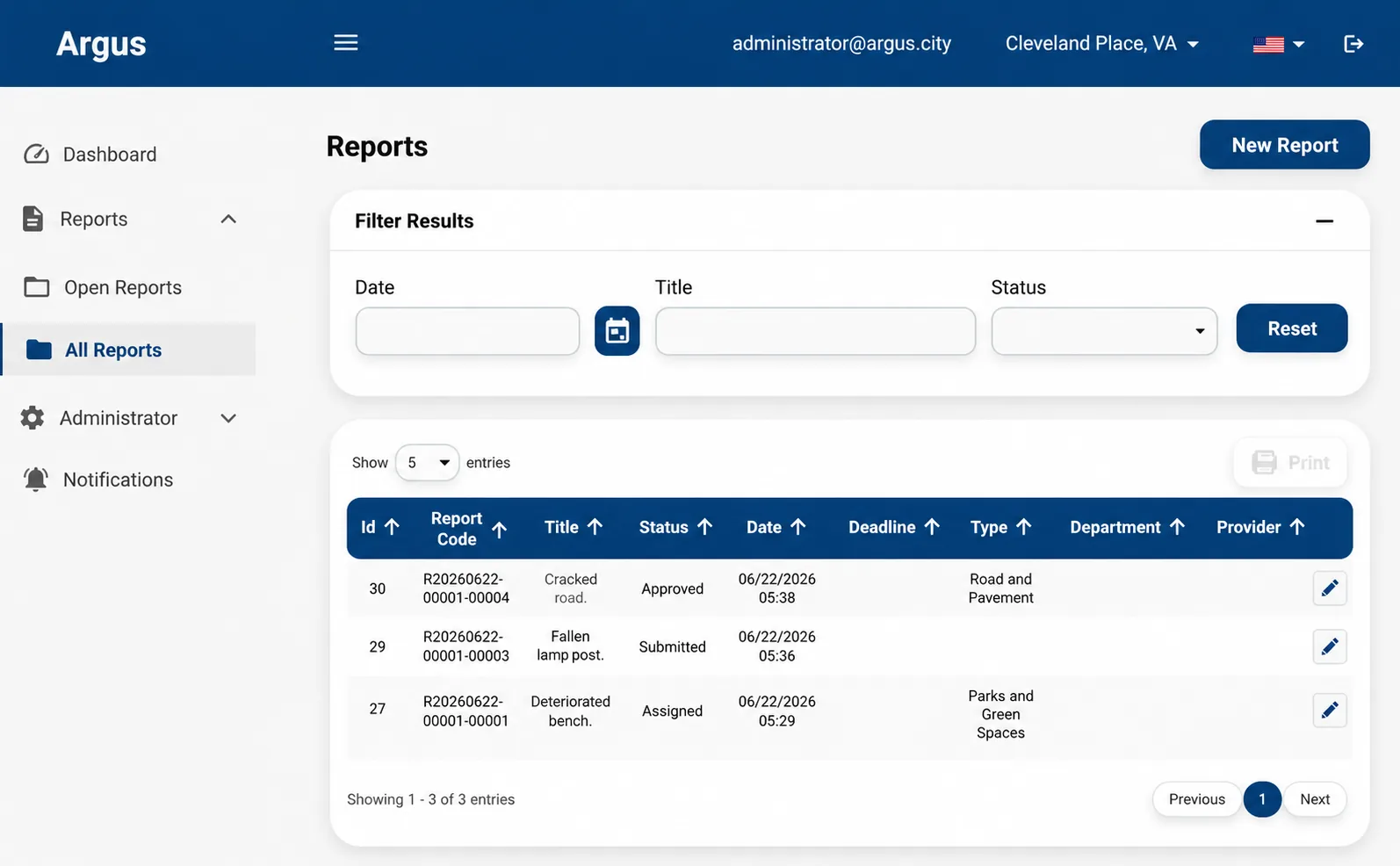
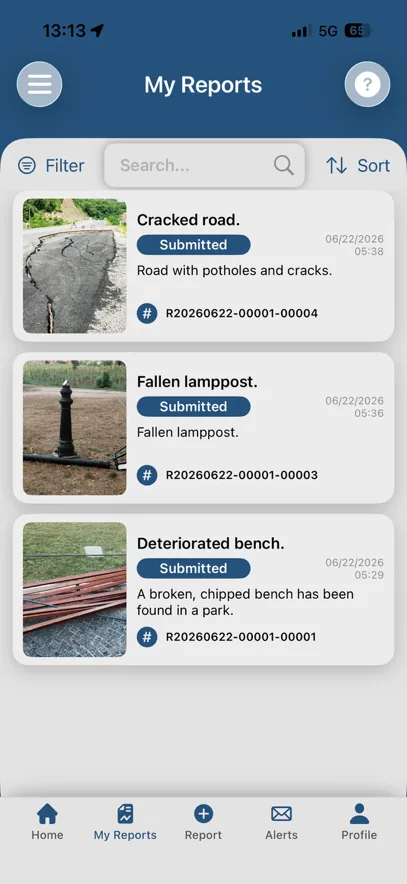
Most issue reporting stops at the inbox. ARGUS carries the issue all the way through: who owns it, what it costs in time, and what proof there is that it was fixed.
Phone calls, emails, forms and walk-ins land in the same queue, classified by type, department and vendor, searchable and exportable. Nothing is tracked in a side spreadsheet.
Every report has an owner, a priority and a deadline. The clock starts when work starts and stops when it is fixed, so response and resolution times come out of the system, not out of an estimate.
The person who reported the issue follows it from their phone and is notified when it moves. Fewer status calls to the front desk, and visible proof that the city acts.
The same flow whether the reporter is a resident, a passenger in a terminal or a member of your own staff.
Open the app, add a title, a description and up to four photos. The location comes from GPS, or is typed in later if the photos were taken offline.
Set the type, priority and deadline, ask the reporter for more information if needed, and assign the report to a department. Once the department accepts it, its manager or the administrator creates the tasks and gives each one to an employee or a vendor.
The assignee sees only their own tasks, moves them to In Progress — which starts the clock — and attaches photos, documents and notes as the work is done.
The administrator checks the evidence and closes the report. The reporter is notified, and the whole history stays attached to the case.
Every status change requires a comment, and the comment is kept. That is what makes the history worth reading six months later — during an audit, a claim or a budget review.
More Info A detour. A question for the reporter, then back to Submitted.
Rejected A way out. For the administrator, any time before Fixed.
Pending A pause, not a step. If the assignee can't do it, it waits here until it is assigned again, or goes to someone else.
Roles are set per location, so the same person can be an administrator in one place and an employee in another, under a single account.
Residents, passengers, students, tenants — anyone who spots a problem.
The person accountable for the location: a public works office, an airport operations team, a campus facilities manager.
Internal crews and outside contractors, working from the phone in the field or from the web at the depot.
Real screens, not illustrations. Native apps for iOS and Android for the field, and a web dashboard for everything an administrator has to run.
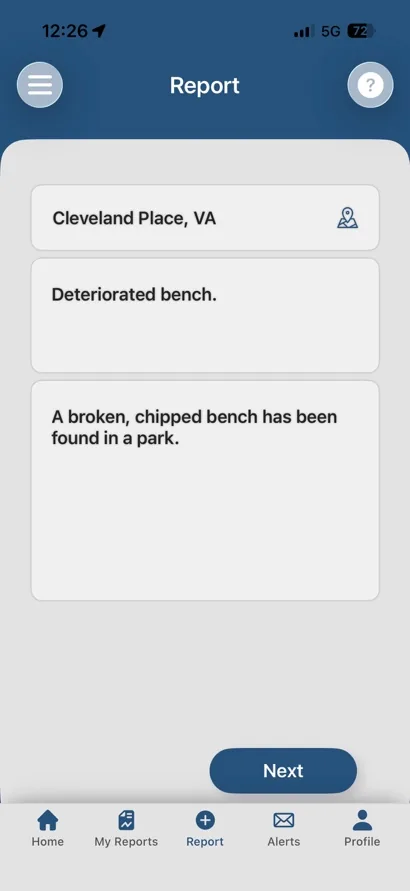
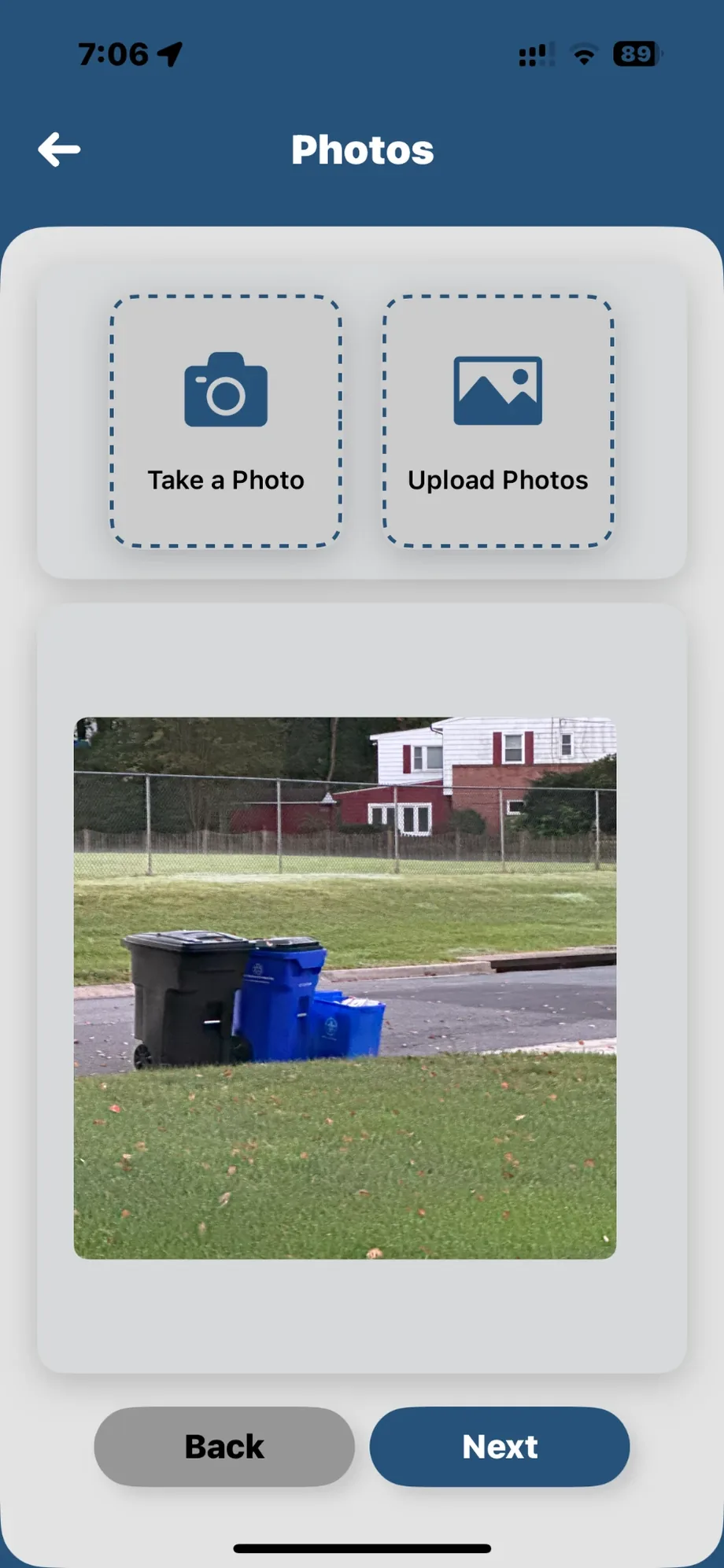
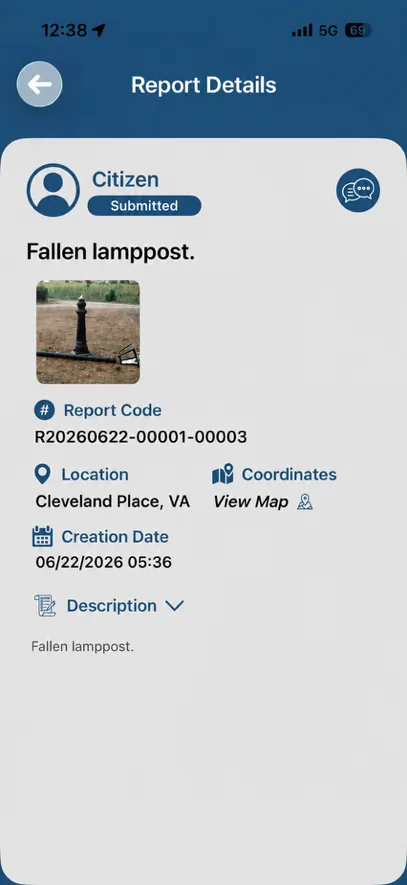
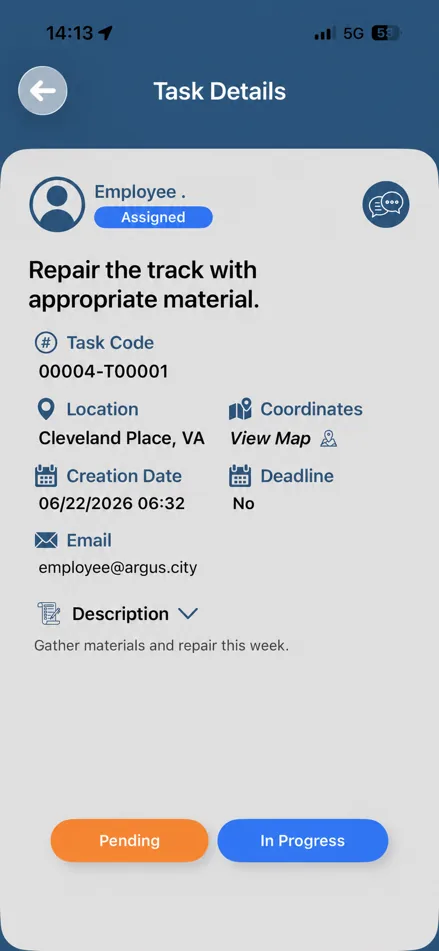
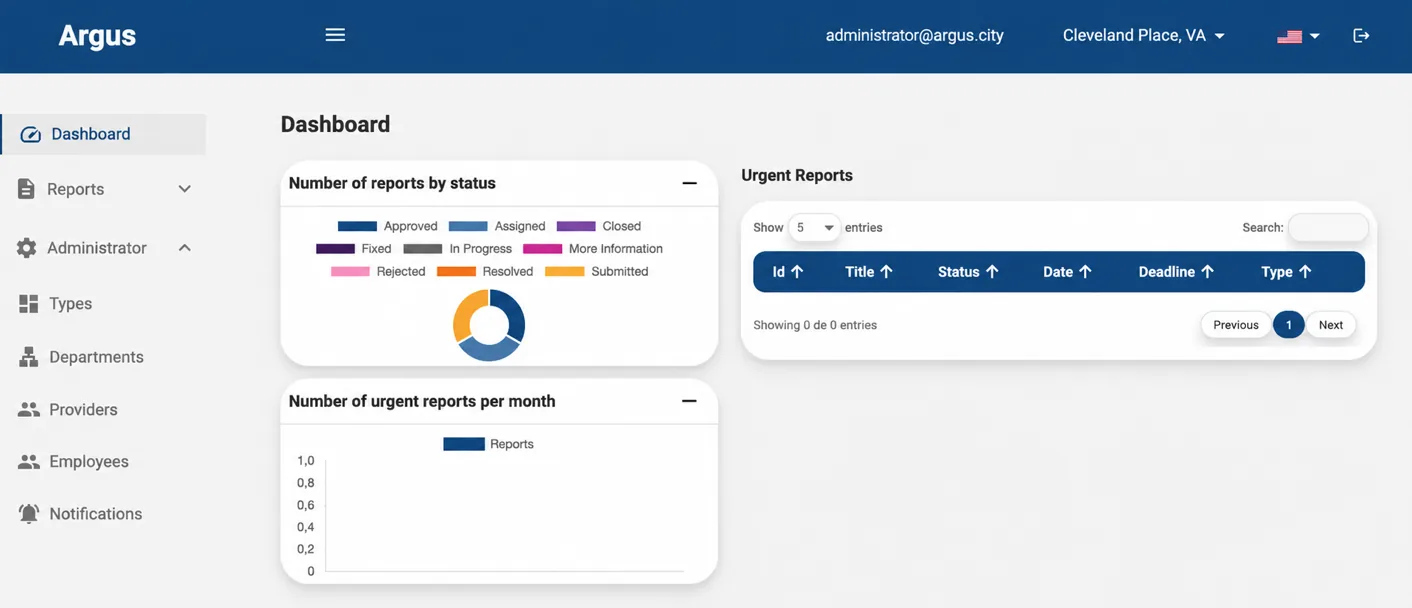
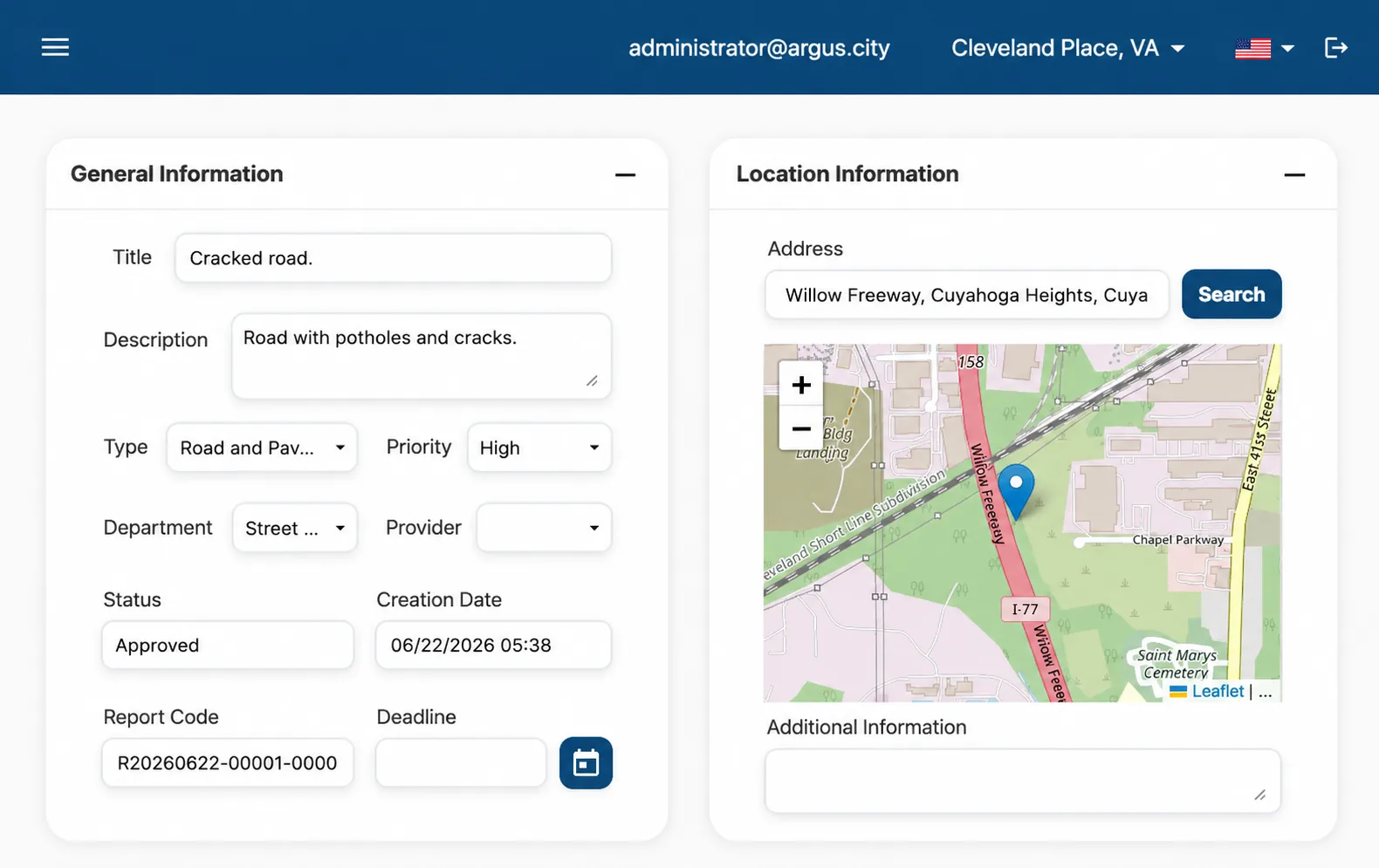
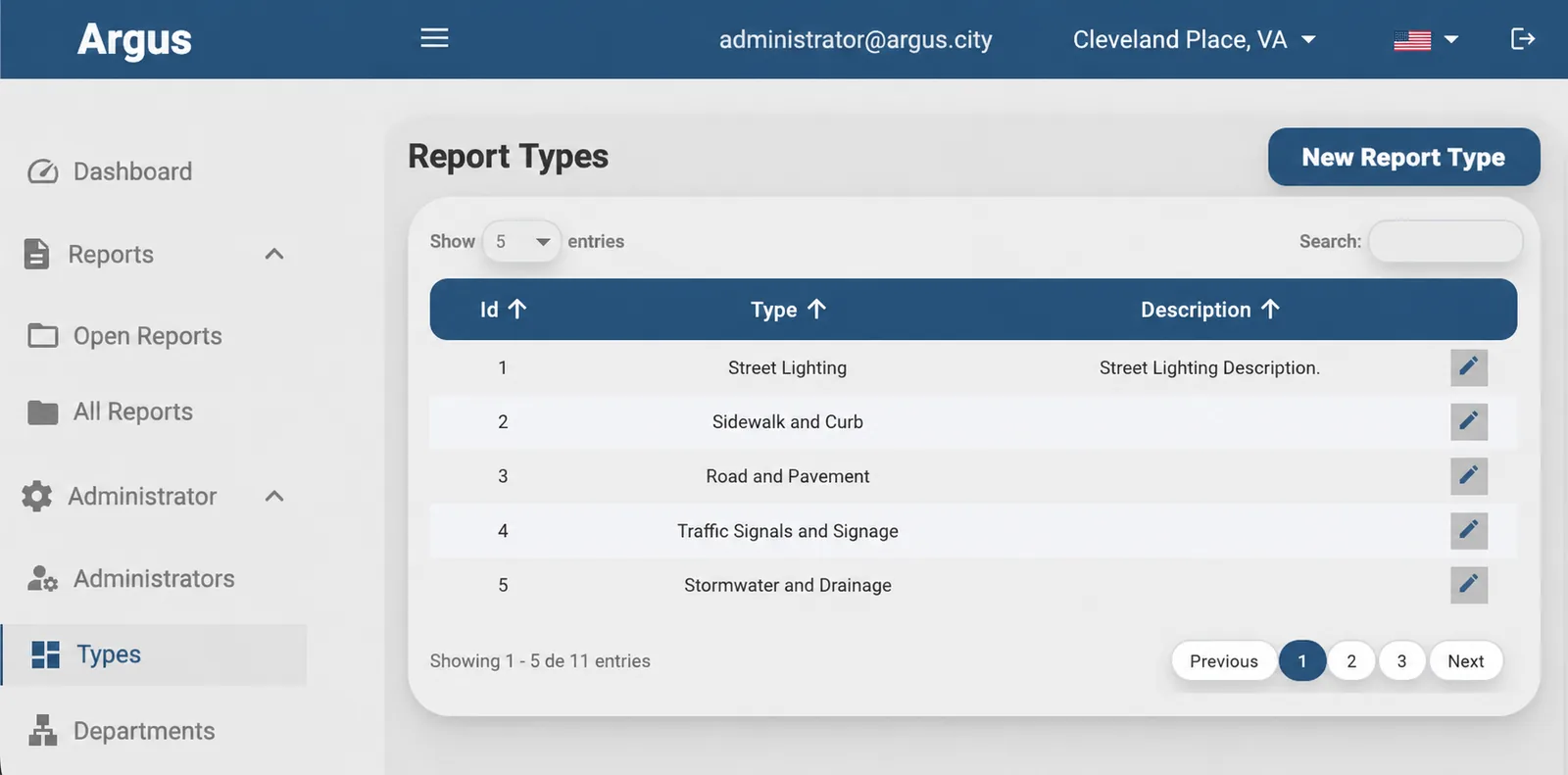
No modules to buy separately, no integration project to make the basics work.
Split a report into as many tasks as it needs. A task that depends on another cannot be closed before it, so the work happens in the right order.
Start and end timestamps are captured from the status changes themselves. Response and resolution times are a report, not an estimate.
Low, Medium, High and Urgent. Urgent cases are pushed to the top of the dashboard, with their own chart, so nothing critical hides in the list.
Report types, internal departments and external vendors are configured per location, so the classification matches how your organization is actually run.
Coordinates are captured automatically, or entered by hand when the photo was taken before the report. Every case is pinned on a map.
A conversation with the reporter, and a separate internal thread for the team. Both timestamped, both kept in the history.
Assignment, status change, request for more information, resolution. Each location writes its own message text and chooses who receives it.
By user, status, title, date, type, location, priority or assignee. Results paginate and export to PDF for a council session or a client report.
Every action is logged with its author and its timestamp. The history of a case is the evidence file if it is ever questioned.
Administrators and employees are invited by email, set their own password and complete their profile. Pending invitations can be resent or revoked.
App and dashboard are fully bilingual, chosen per user — and backed by Mobile Smart City's multilingual 24/7 support team.
ARGUS Issue Management on the App Store and on Google Play — one name, one account, both platforms — plus a browser portal with the same functionality for anyone who would rather not install an app.
A city, an airport and a university do not work the same way, and ARGUS does not ask them to. Each location is set up on its own — exactly the model PANGO already uses across the Mobile Smart City platform.
The 311 model started in city halls. The problem it solves — a report that has to reach the right crew and come back closed — exists in every one of these.
Mobile Smart City is an independent, U.S. owned technology company delivering innovative solutions for parking, mobility, access control, traffic monitoring, incident management, digital payments, and business intelligence, all integrated into a single, open platform.
We empower cities, campuses, airports, businesses, and property owners to operate smarter, more efficiently, and more seamlessly, backed by a trusted technology partner committed to innovation, service excellence, and long-term customer success.
Mobile Smart City CORP
Fort Lauderdale, Florida · United States
Issue management on its own already pays for itself. Sitting on the same platform as your parking, access control and traffic operations, it shares locations, users and reporting instead of being one more vendor to reconcile.
ARGUS is an issue management platform. A citizen or a member of staff reports a problem with a photo and a location; an administrator reviews it, sets a type, a priority and a deadline, splits it into tasks and assigns them to employees or vendors; each person updates the status until the report is fixed and closed. Every action is timestamped and kept in the report history.
No. ARGUS is configured per location, so the same platform runs a city, an airport, a university campus, a hospital, a port, a shopping center or a residential community. Each location has its own administrators, employees, catalogs of report types, departments, vendors and notification rules.
Citizens register once with an email address, from the mobile app or the web. From then on they can submit reports with photos and a location, follow their progress under My Reports, and comment on any report of theirs that is still open.
At app.argus.city, the ARGUS web portal — the same account works in the mobile app. Citizens can create their own account there; employees and administrators are invited by their location's administrator and set their password from the invitation email.
A report goes through Submitted, Assigned, In Progress, Fixed and Closed, with More Info as a detour and Rejected as a way out. Each of its tasks has its own: Assigned, In Progress and Fixed, with Pending as a pause. Every status change requires a comment, which is recorded in the history. Closed is final: a closed report cannot be reopened.
Yes. Vendors are a catalog inside each location, so a report or an individual task can be assigned to an external company exactly as it would be to internal staff, with the same statuses, comments and evidence.
ARGUS starts the clock when an employee moves a task to In Progress and stops it at Fixed. Start and end timestamps are logged automatically, so response and resolution times come out of the system rather than out of a spreadsheet.
Yes. The mobile app and the web dashboard are bilingual, English and Spanish, with the language selected per user.
Yes. ARGUS is part of the Mobile Smart City platform, alongside PANGO mobile payments, PANGO Fast Pass, ALPHA multi-space meters, ZEUS enforcement, access control, OMEGA video analytics and business intelligence, sharing the same locations, users and reporting.
Citizens, employees and administrators all use the same account. Where you land depends on the role your location gave you.
Open the ARGUS web portal to submit a report, follow your own reports, work your tasks or run your location's dashboard.
Sign inCitizens register in a minute with an email address. Employees and administrators are invited by their location's administrator and activate the account from that email.
Create an accountGet ARGUS Issue Management — the same app, the same name, on both stores. Report from your phone, with the camera and the location already there.
Tell us what kind of place you are responsible for and we will walk you through the app, the dashboard and the configuration behind them.